Planning and lab access
Find today's colony work
Use the Due list and breeding calendar to open the records that need attention.
Before you start
- Choose the correct colony or facility. Dates and due days follow the facility's calendar.
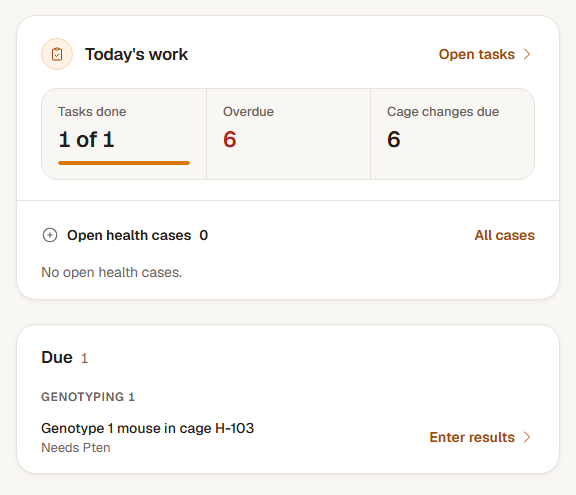
Step 1: Read the Due list
Open your dashboard, or Today in a facility. Due groups the work that is due or late: weans, plug checks, separations, expected litters, genotyping, cage changes and protocol renewals. Each row names the record, why it is due and the action to take.
Choose Show more when a group has more entries than the first five.
Step 2: Open and complete the recorded job
Follow a row's action to the relevant litter, breeding pair, sample queue, cage or protocol. For the morning's plug checks, Record all opens the round. Save the work on that record, then return to the Due list to check what remains.
Step 3: Look ahead in the breeding calendar
Open Breeding and switch to the calendar's Month view. Choose a day with events, then open the named event. Litter events open their litter; dam-specific events lead to the relevant breeding record and dam.
Check the result
You can move from a due item to the record where the work is saved, and use the calendar to plan upcoming breeding tasks.
If a reminder does not match the record
Open the underlying record and check its dates and status. Correct a litter date through Edit litter, manage a dam's plug checks on the pair, or resolve a completed mating with its recorded outcome. Return to the refreshed Due list after saving.