IACUC compliance made simple
Stop scrambling before semi-annual reviews. ConductColony keeps your protocols, census counts, and audit trails current so you are always inspection-ready.
Protocol Tracking
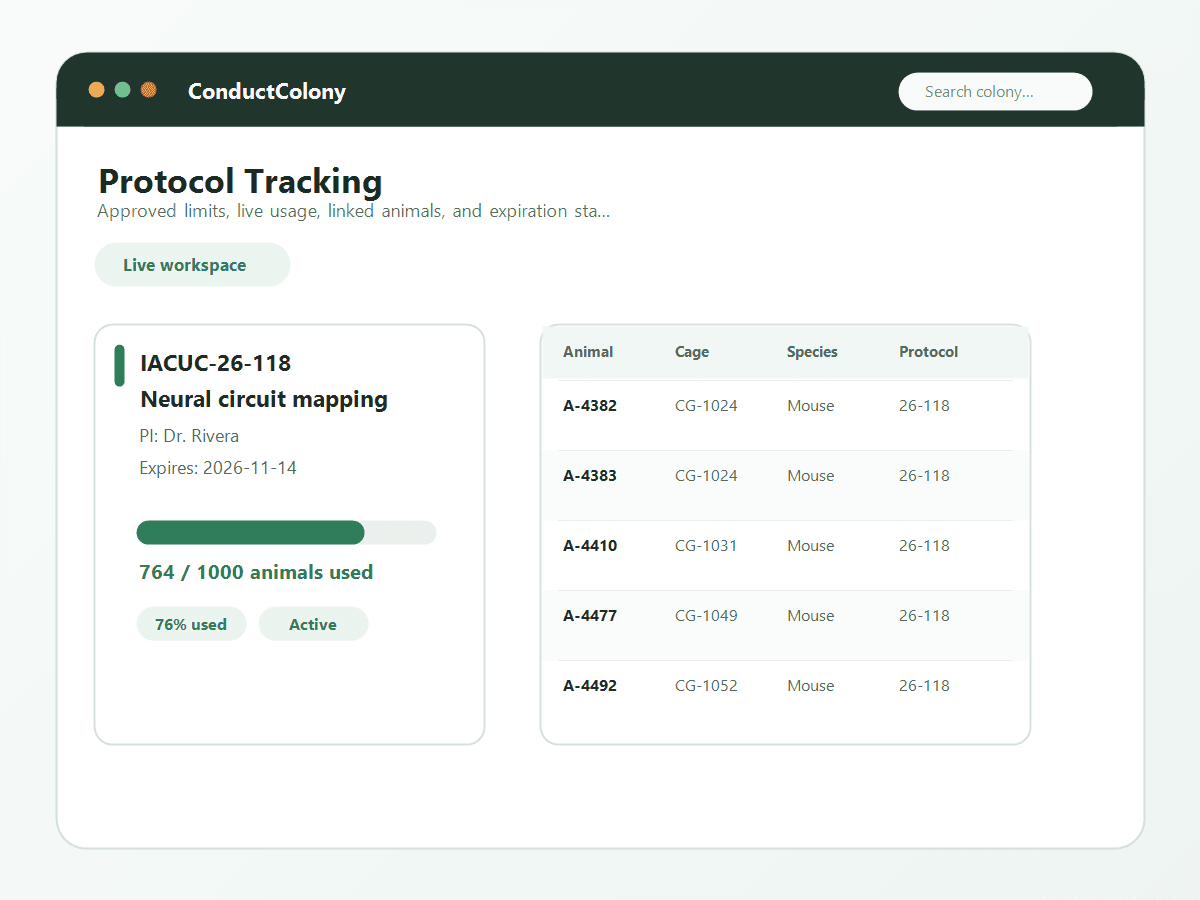
Link every animal and cage to an approved IACUC protocol. Track usage counts against approved limits in real time so you never inadvertently exceed your allocation.
- Create protocols with title, PI, approval number, and approved animal count
- Set protocol start and expiration dates with automatic status updates
- Link animals to protocols individually or in bulk
- Live usage counter shows current animals vs. approved maximum
- Visual warning indicators when you approach 80% and 100% of limits
- Protocol detail page with full list of associated animals and cages
Expiry Alerts
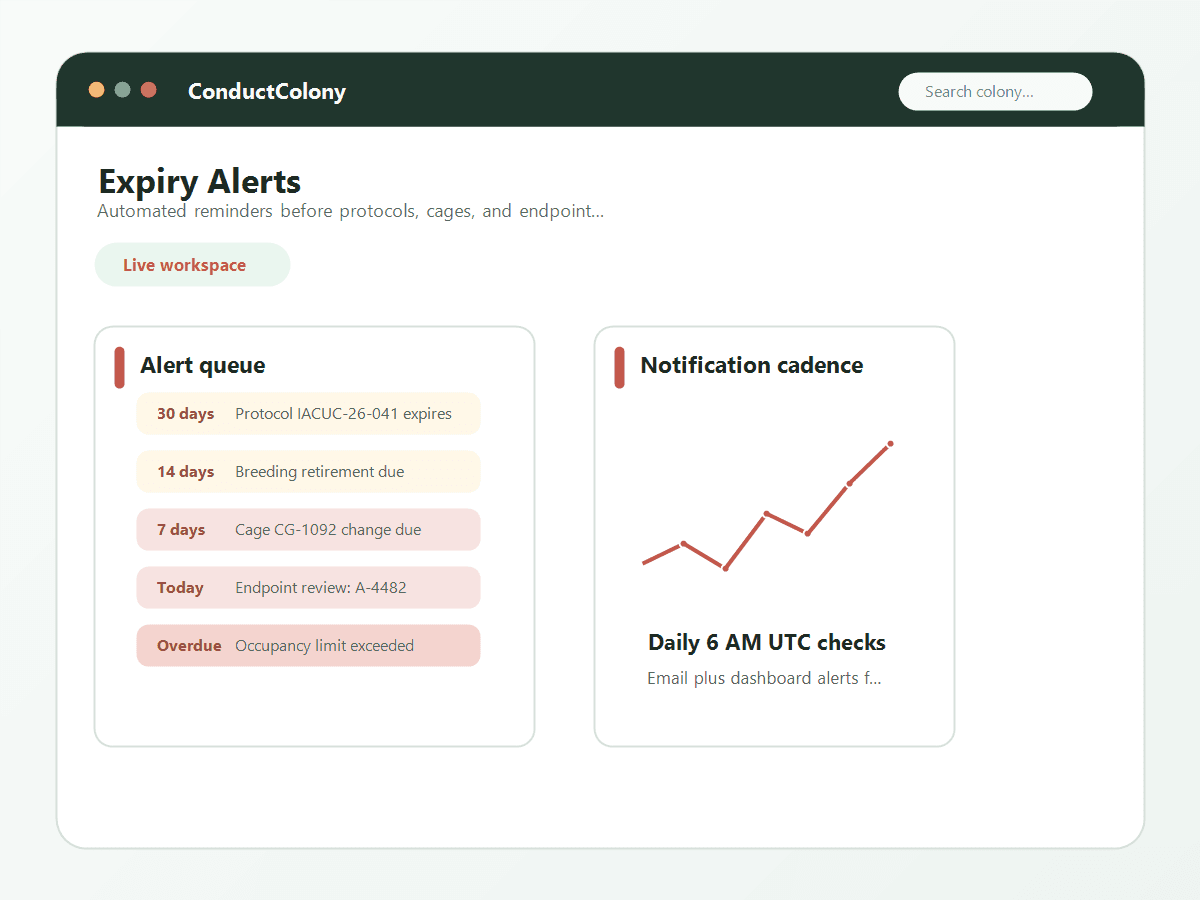
ConductColony lists expiring protocols, overdue cage changes and crowded cages. You see them on the Alerts page and the dashboard.
- Daily alert cron checks protocols, cages, and animals at 6 AM UTC
- Protocol expiry alerts sent 30, 14, and 7 days before expiration
- Cage change reminders based on your vivarium’s change schedule
- Animal age alerts for breeding retirement and experimental endpoints
- Overcrowding alerts when cage occupancy exceeds institutional limits
- All alerts visible on the dashboard and in the dedicated Alerts page
Census Reports
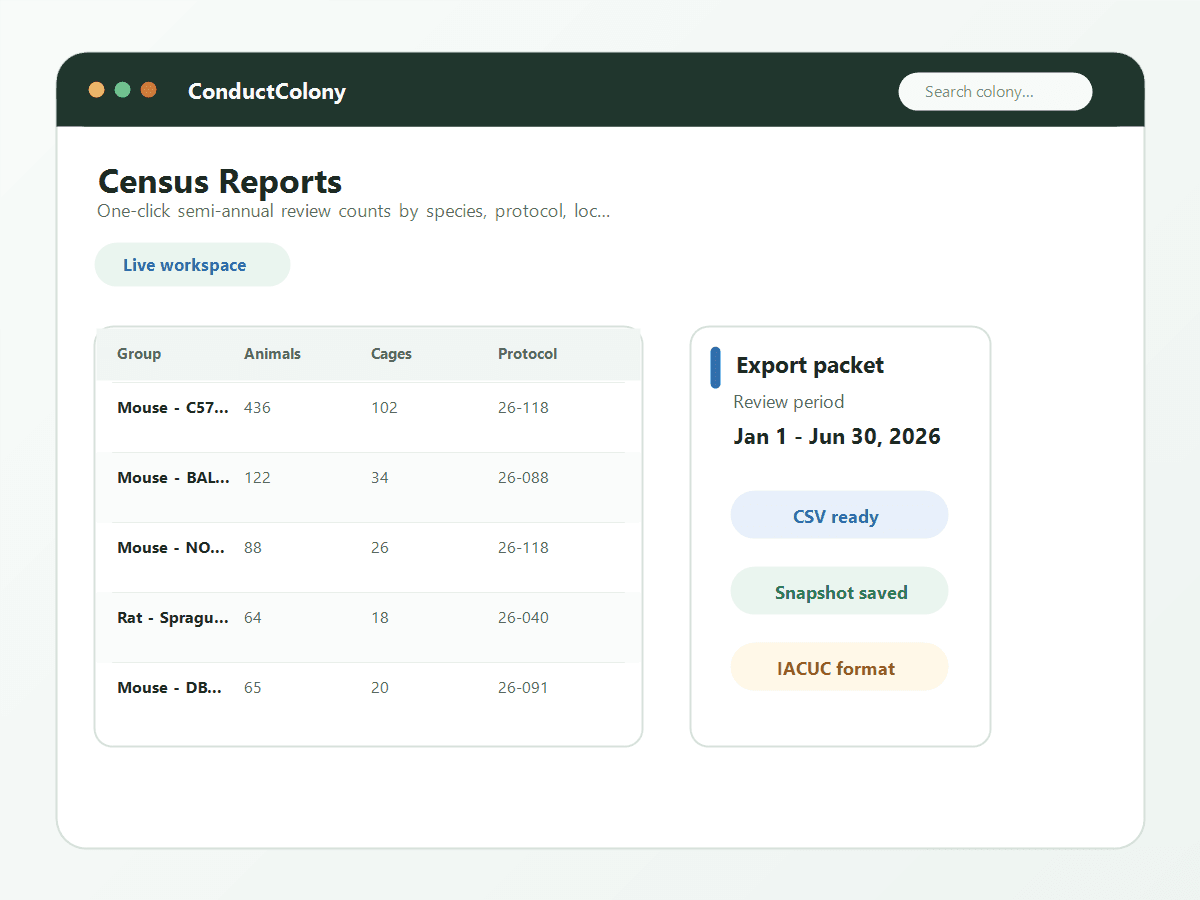
Generate accurate animal census reports for IACUC semi-annual reviews with one click. No more manually counting animals across spreadsheet tabs.
- Instant census by species, strain, sex, and protocol
- Breakdown by location: facility, room, rack, and shelf
- Historical census snapshots — compare counts over time
- Export census data as CSV for submission to your IACUC office
- Filter by date range to match your review period exactly
- Protocol-specific census showing usage vs. approved limits
Pain Categories
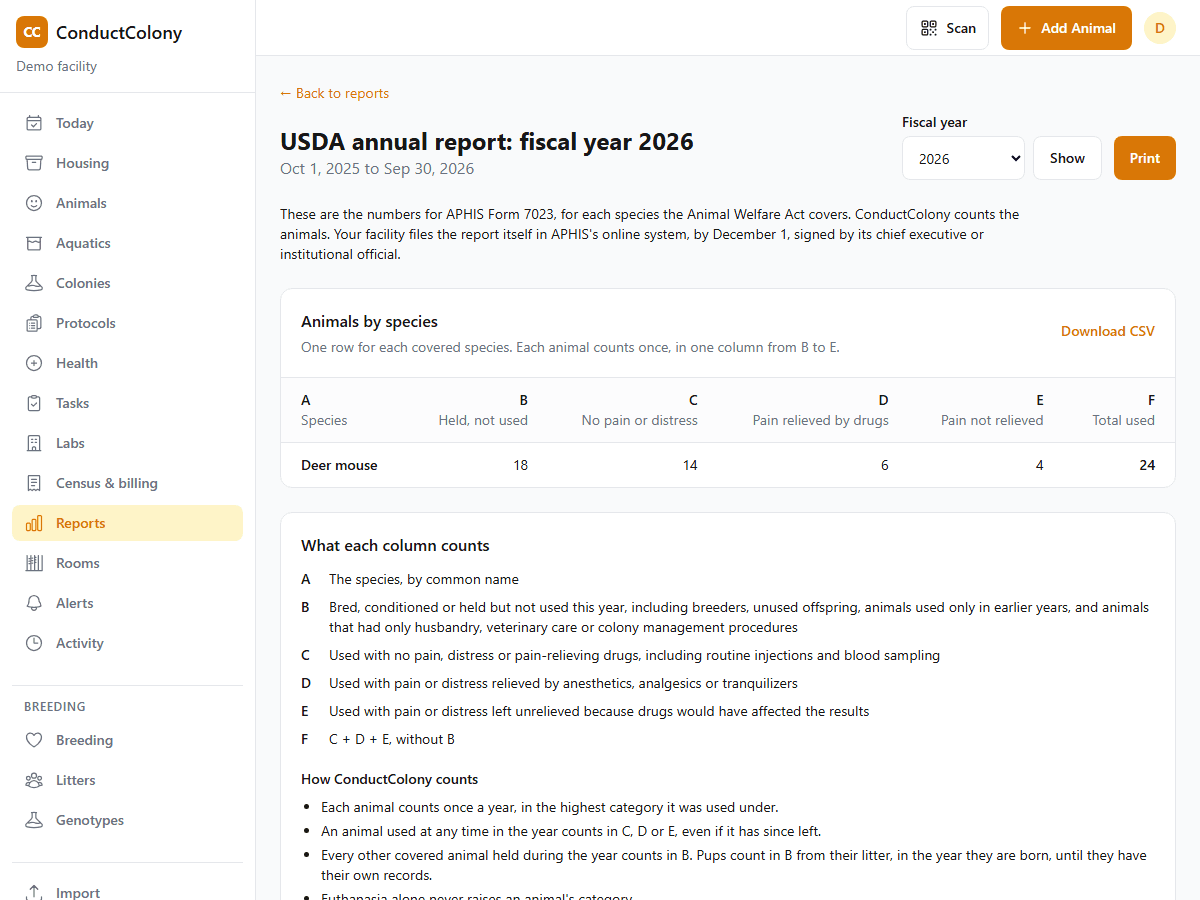
Record the USDA pain category, B to E, on each protocol. For species the Animal Welfare Act covers, such as deer mice, ConductColony counts each animal in its category for the annual report to USDA.
- Set a pain category from B to E on each protocol, and in a core facility on each approved number by species
- Each deer mouse on a protocol carries the category it is used under, starting from its protocol’s
- Change an animal’s category with a reason and a date; the activity log keeps the values before and after
- See use by pain category on each protocol, beside its approved numbers
- Annual report numbers for APHIS Form 7023, by species and federal fiscal year, with CSV export and print
- Your facility files the report itself. Mice and rats bred for research, frogs and fish are not part of it
US research facilities reported 751,355 animals to USDA for fiscal year 2025. See them by species and pain category.
Activity Log
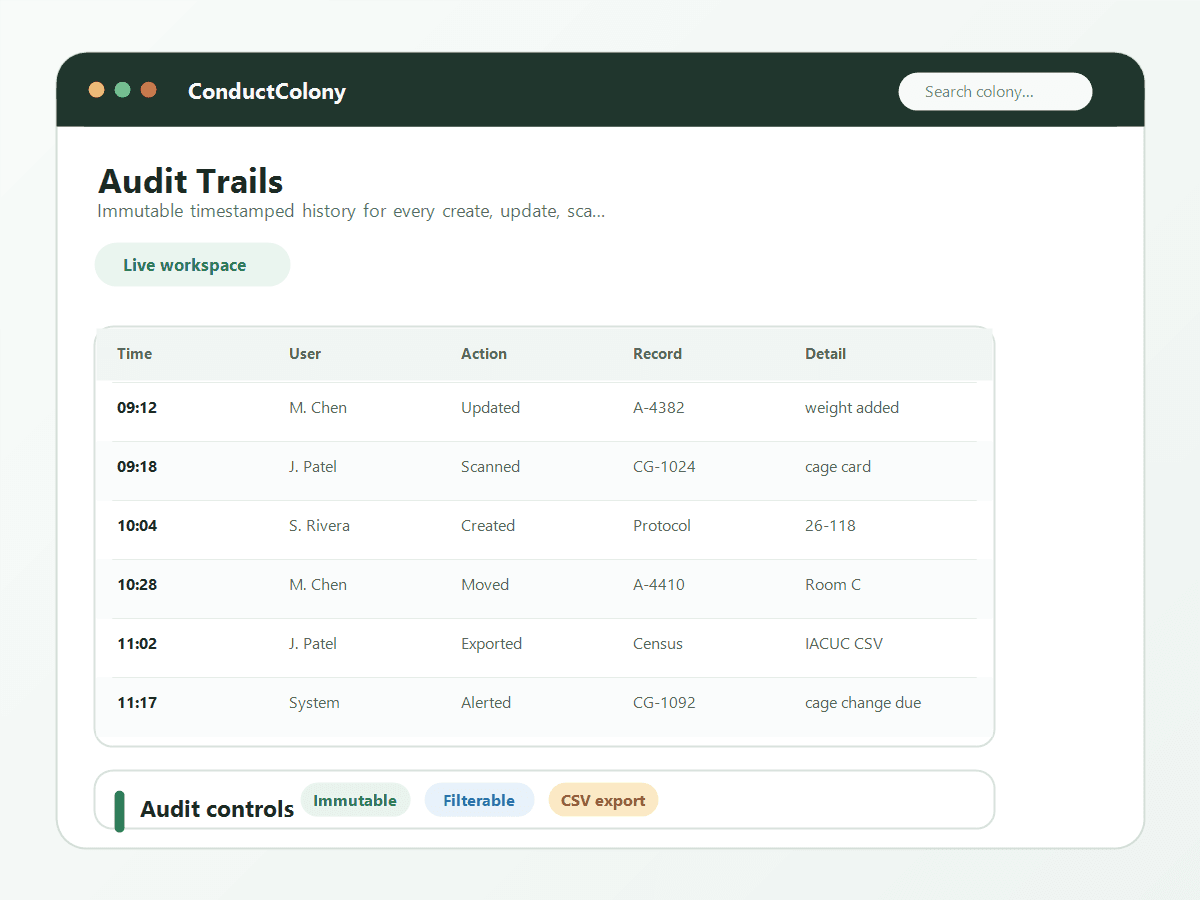
ConductColony records who did what and when: animals added or moved, cage changes, litters, genotypes, procedures and protocol changes. Entries cannot be edited in the app.
- Automatic logging of all create, update, and delete actions
- Records include who made the change, when, and what was changed
- Filterable activity log by user, entity type, action, and date range
- Cage card scans logged with timestamp for facility walk-through records
- Export activity logs as CSV for compliance documentation
- No ability for any user to delete or modify audit log entries
Multi-User Roles
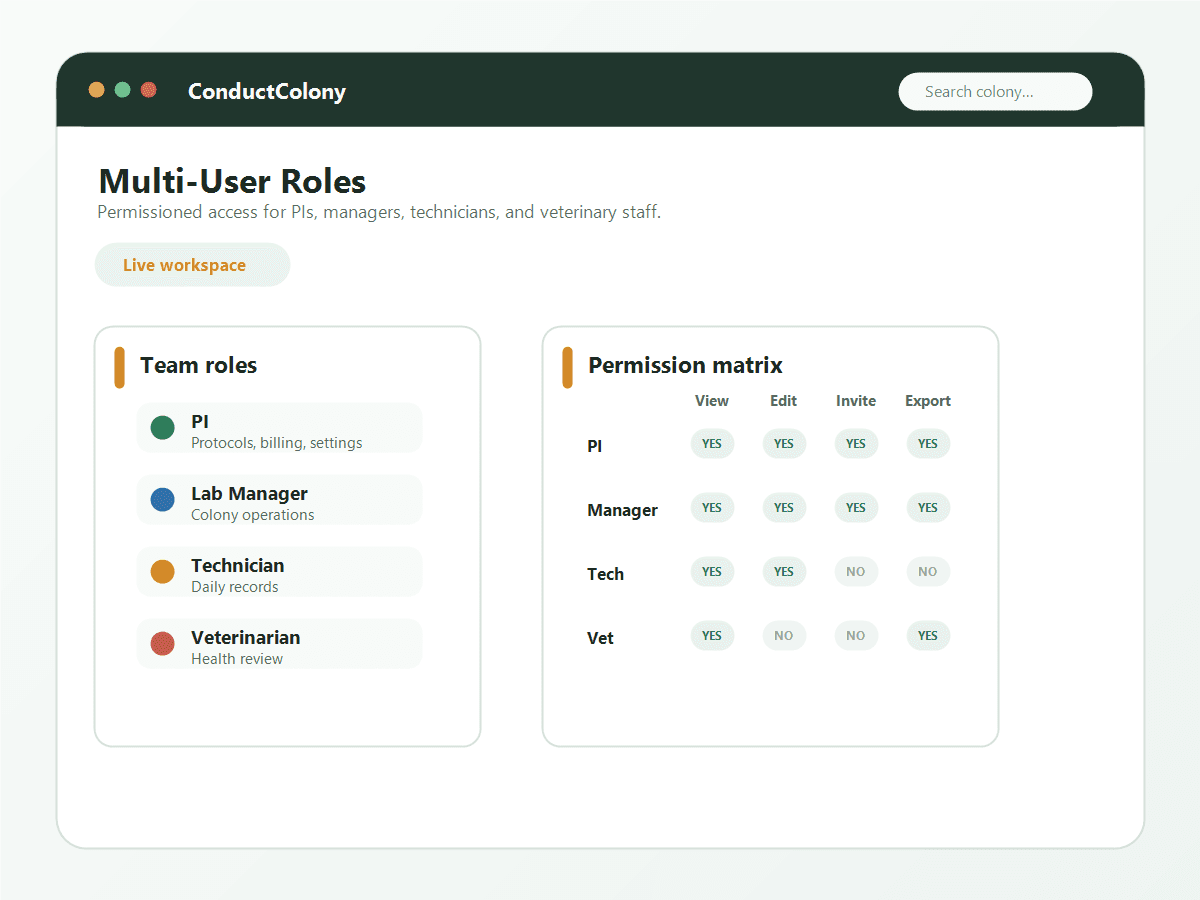
Control access with role-based permissions. PIs manage protocols, lab managers oversee operations, technicians update daily records, and veterinary staff review health data.
- Four built-in roles: PI, Lab Manager, Technician, Veterinarian
- Role-based access: control who can create, edit, view, and delete
- Invite team members via email with automatic role assignment
- PI role manages protocols, billing, and organization settings
- Technician role focused on daily tasks: cage changes, animal updates, weaning
- Free plan supports 3 users; paid plans support unlimited users
Training Records
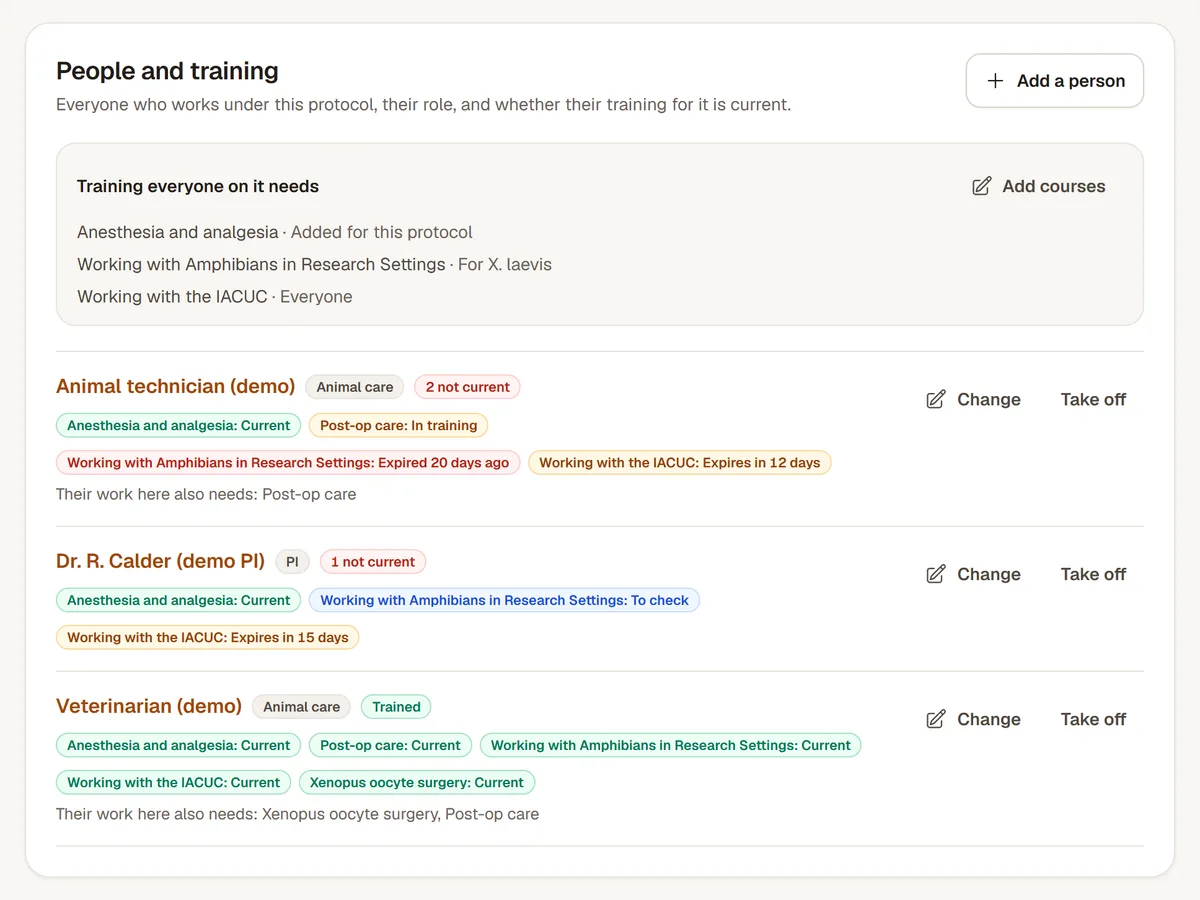
Keep each person's courses with the day they completed them and the day they expire. ConductColony shows who is current, expiring, expired or missing, on the Training page and on each protocol.
- Courses from CITI Program, the AALAS Learning Library or your own, and hands-on skills a trainer signs off
- Say who needs each course: everyone, facility staff, people on protocols for a species, or anyone doing a kind of task or procedure
- Each protocol lists its people, their role and whether their training for it is current
- Records people add themselves count once a training manager checks them
- Import completed courses from a CSV or Excel file, matched to people by email address
- Each person is emailed when training they need expires within 30 days, and again when it expires
Be inspection-ready, always
Start free with protocol tracking and expiry alerts included. Upgrade for census reports and pain categories.