Records and housing
Record a death or euthanasia
Save the observed outcome, date and reason, and update any affected breeding record.
Before you start
- Have the animal's identifier, the date and the recorded reason. This job updates the colony record after the outcome has occurred.
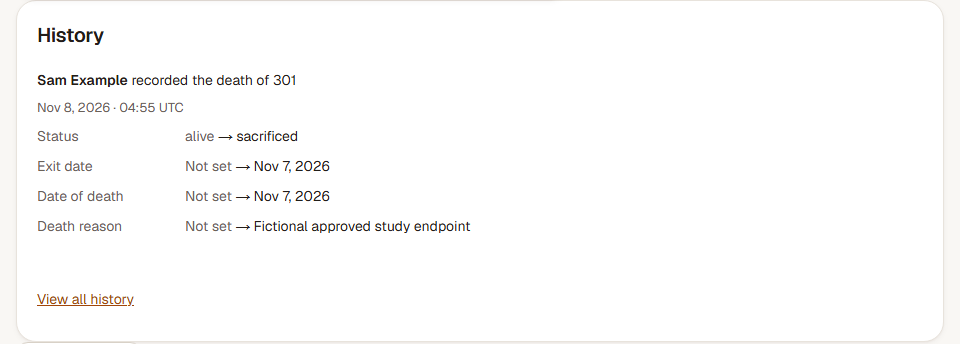
Step 1: Open the correct animal
Find the mouse by animal ID or ear tag. Check its cage and identity, then choose Record death.
Step 2: Enter the outcome and reason
Choose Found dead or Euthanized under Outcome. Enter Date of death and Reason. Use the reason recorded for this animal; it is saved with the death record and included in exports.
Step 3: Check the breeding consequence
For an animal in an active breeding record, choose what should happen under Breeding pair. You can keep the pair record active or end it. When available for a dam in a trio, Remove this dam and keep breeding leaves the remaining breeders together.
Choose Record death, then inspect the animal's status, date, reason and history. Check any affected pair as well.
Check the result
The animal leaves the live-animal count while its identity, outcome, reason and earlier history remain available.
Correct the recorded details
Open the animal's Edit form, correct Status, the date or Death reason, and choose Save changes. Review the history afterwards. If a breeding pair was ended in error, use that pair's Correct outcome action and check its housing separately.